
Flutter
Make the most of this cutting-edge technology by developing apps quickly! Our Flutter solutions have amazing features that can be used to create sleek, high-performance apps that can scale seamlessly across platforms.



We aim to build applications that excel in all aspects. We consider customer satisfaction as the best award we could receive. In that journey, we have been recognized multiple times for the exceptional products we deliver.
Faster work process

Customer Review on Google
Successful projects accross the world
We are a team of highly dedicated mobile app developers that build cutting-edge mobile applications with the latest technologies.
About us
We cater to dedicated and tailored app development to help companies expand and achieve new heights. We deliver great features focusing on the latest technological advancement.

Our expertise in hybrid application development in Kerala, comes by integrating our agile methodology. We are the leading experts in hybrid application development.

Our rank booster packages reap maximum results for ranking mobile apps higher in the highly competitive niche. We get ahead with a proper ASO strategy crafted under our years of ASO experience.

Our landing page creation in a faster mode connects seamlessly with popular marketing platforms. We build efficient landing pages that crush your revenue goals.
We are a team of highly dedicated mobile app developers that build cutting-edge mobile applications with the latest technologies.
View all Services
Make the most of this cutting-edge technology by developing apps quickly! Our Flutter solutions have amazing features that can be used to create sleek, high-performance apps that can scale seamlessly across platforms.

Explore the endless possibilities of mobile app development with our Figma services. Design compelling apps and refine your tech skills, all while leveraging cutting-edge tools to make a meaningful impact in the industry. Appzoc ensures a seamless user experience.

From startups to enterprises, we specialize in creating Android app development services that drive growth. Our team at Appzoc focuses on developing apps that provide an outstanding experience across all Android devices and wearables.

Node.js, for its high scalability, simplifies the mobile application process and is widely used for real-time applications with many open-source libraries and frameworks. The server-side and client-side switches are easy with Node.js. Node.js developers can constantly publish new code making the app possible as and when needed.
We are a team of highly dedicated mobile app developers that build cutting-edge mobile applications with the latest technologies.
View all Technologies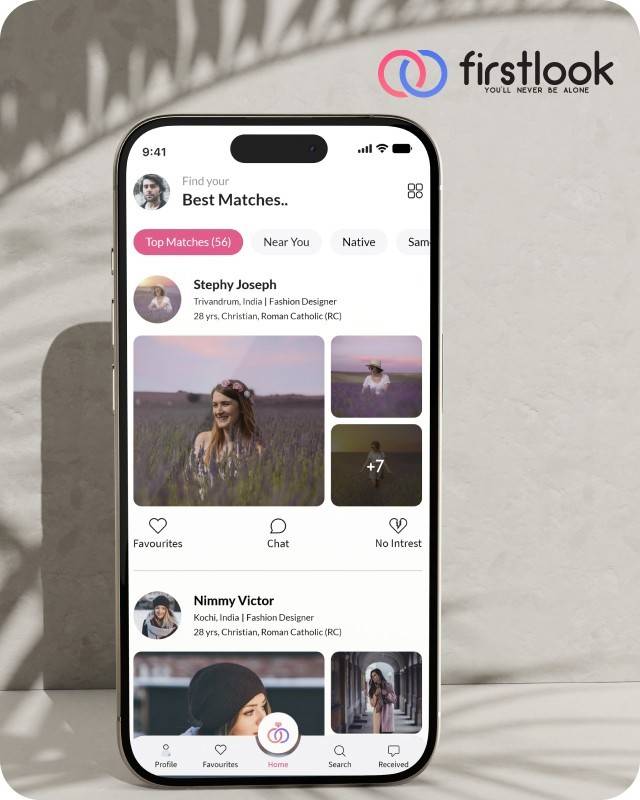
FirstLook Matrimony is a modern matchmaking app that helps you find your perfect life partner with personalized matches, easy chat options, and a secure platform built on trust.

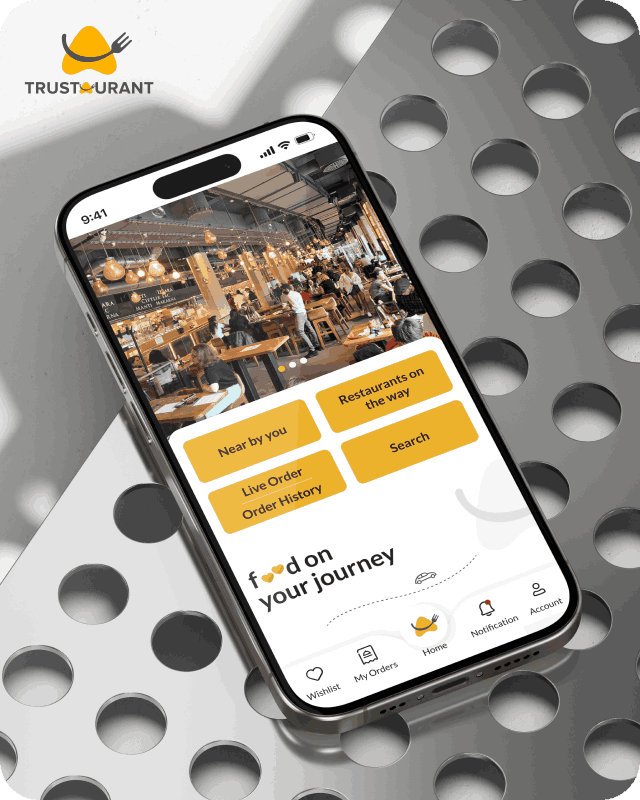
Trustaurant is a travel-friendly food app that helps you discover and order from trusted restaurants nearby or along your journey, all in real-time.
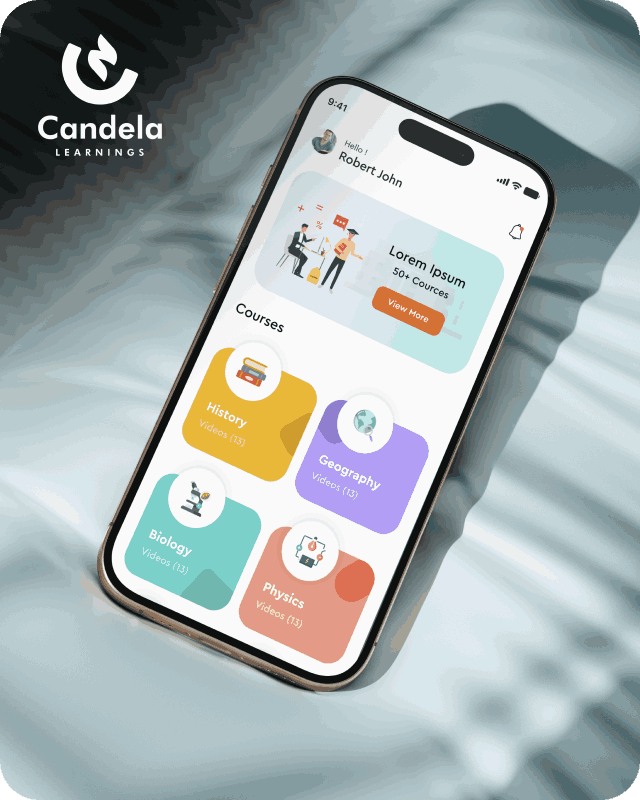
Candela Learnings is an engaging educational app offering interactive video courses in subjects like History, Geography, Biology, and Physics—all in one place.
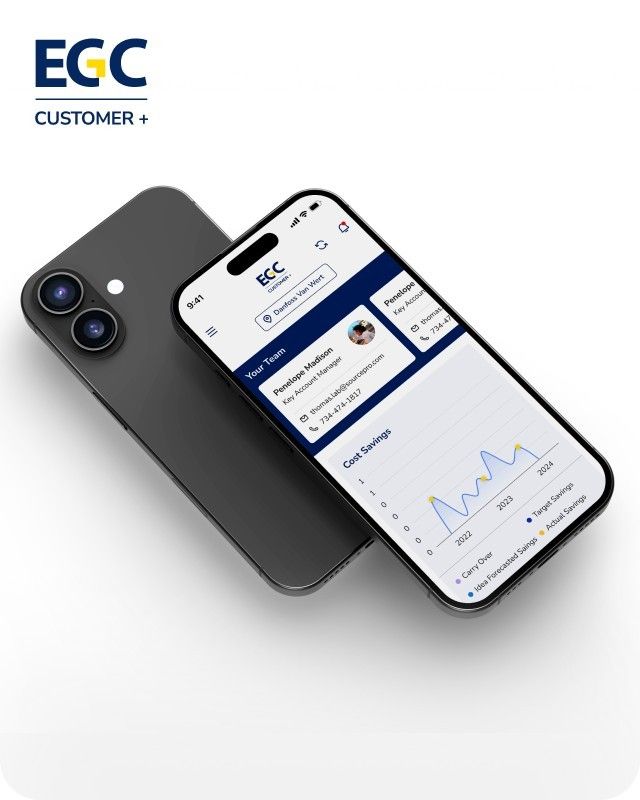
EGC Customer+ is a smart, user-friendly app designed to help you track cost savings, manage key contacts, and stay in control of your account performance—all in one place.
We are a team of highly dedicated mobile app developers that build cutting-edge mobile applications with the latest technologies.
View all WorksWe are a team of highly dedicated mobile app developers that build cutting-edge mobile applications with the latest technologies.
View more openings

Every developer loves shipping features, but the real power move is making those features feel instant. High-performance apps don’t just “work” – they feel effortless, and that feeling is almost always the result of deliberate performance optimization, not luck. Treating performance as a silent superpower turns you from a code contributor into someone who shapes the entire user experience.
Performance optimization is not only about shaving a few milliseconds off a call. It affects:
On Android and iOS, users have endless alternatives. Skip Android or iOS optimization, and your app falls behind competitors.
Android is powerful, but blocking the main thread or wasting memory hurts performance. A few smart techniques make a big difference.
Leaning into Android performance optimization early keeps app speed improvement cheap; fixing it later, when the app is huge and fragile, is painful.
iOS users expect smooth scrolling, fast transitions, and low battery use. Apple’s profiling tools help—but only if you use them.
Key iOS optimization strategies include:
These patterns apply whether you are building casual apps or enterprise‑grade high-performance apps – the difference is how consistently you apply them.
You can’t improve what you don’t measure. App speed improvement starts with baselines and clear targets, not guesses.
Useful metrics to watch:
Practical tools you already have:
Add performance checks to reviews, CI, and tests to make an optimization routine.
From a client’s perspective, “fast” is not a technical metric; it is a feeling: screens appear instantly, lists scroll smoothly, and everything just works, even on older or budget devices. Appzoc Technologies, a mobile app development company based in Kochi, focuses heavily on that experience when building Android and iOS products.
In practice, that means:
If you want to see how that approach translates into shipped products, you can explore Appzoc’s services and portfolio at https://www.appzoc.com/.
Optimize performance to keep users happy and boost ratings. Treat it as a superpower: profile often, set targets, and add checks to PRs and sprints.
If your team needs a partner that already lives and breathes high-performance apps, consider collaborating with specialists like Appzoc, who build performance into the foundation of every Android and iOS project they ship.
Want a fast, smooth app? Partner with Appzoc to optimise performance from day one.