
Flutter
Make the most of this cutting-edge technology by developing apps quickly! Our Flutter solutions have amazing features that can be used to create sleek, high-performance apps that can scale seamlessly across platforms.



We aim to build applications that excel in all aspects. We consider customer satisfaction as the best award we could receive. In that journey, we have been recognized multiple times for the exceptional products we deliver.
Faster work process

Customer Review on Google
Successful projects accross the world
We are a team of highly dedicated mobile app developers that build cutting-edge mobile applications with the latest technologies.
About us
We cater to dedicated and tailored app development to help companies expand and achieve new heights. We deliver great features focusing on the latest technological advancement.

Our expertise in hybrid application development in Kerala, comes by integrating our agile methodology. We are the leading experts in hybrid application development.

Our rank booster packages reap maximum results for ranking mobile apps higher in the highly competitive niche. We get ahead with a proper ASO strategy crafted under our years of ASO experience.

Our landing page creation in a faster mode connects seamlessly with popular marketing platforms. We build efficient landing pages that crush your revenue goals.
We are a team of highly dedicated mobile app developers that build cutting-edge mobile applications with the latest technologies.
View all Services
Make the most of this cutting-edge technology by developing apps quickly! Our Flutter solutions have amazing features that can be used to create sleek, high-performance apps that can scale seamlessly across platforms.

Explore the endless possibilities of mobile app development with our Figma services. Design compelling apps and refine your tech skills, all while leveraging cutting-edge tools to make a meaningful impact in the industry. Appzoc ensures a seamless user experience.

From startups to enterprises, we specialize in creating Android app development services that drive growth. Our team at Appzoc focuses on developing apps that provide an outstanding experience across all Android devices and wearables.

Node.js, for its high scalability, simplifies the mobile application process and is widely used for real-time applications with many open-source libraries and frameworks. The server-side and client-side switches are easy with Node.js. Node.js developers can constantly publish new code making the app possible as and when needed.
We are a team of highly dedicated mobile app developers that build cutting-edge mobile applications with the latest technologies.
View all Technologies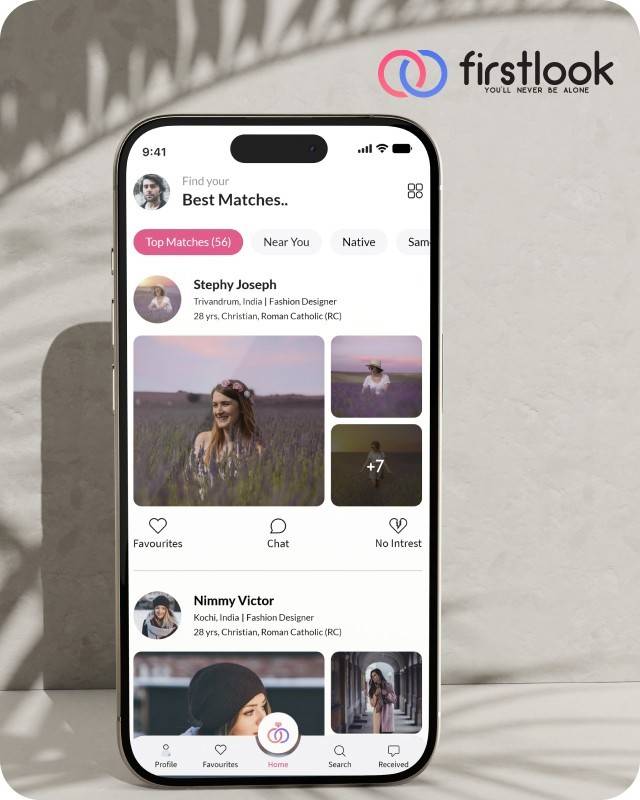
FirstLook Matrimony is a modern matchmaking app that helps you find your perfect life partner with personalized matches, easy chat options, and a secure platform built on trust.

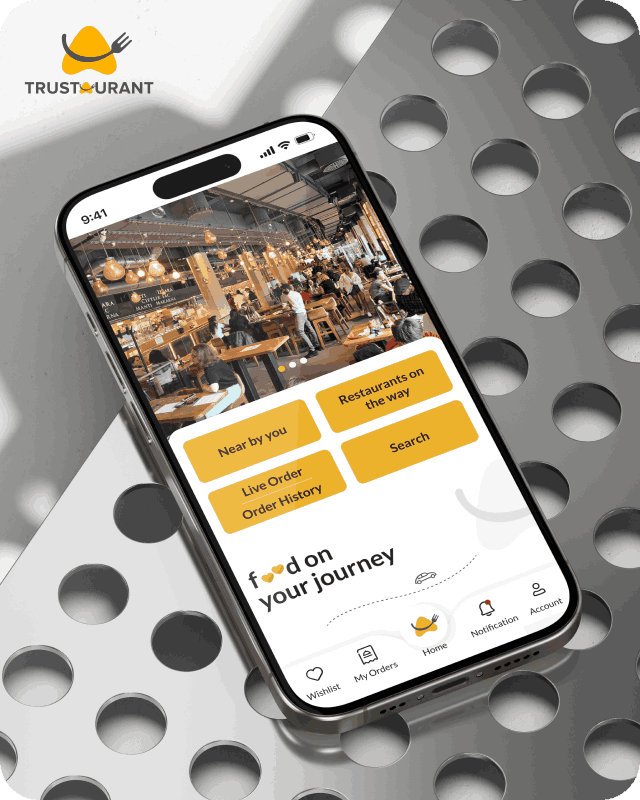
Trustaurant is a travel-friendly food app that helps you discover and order from trusted restaurants nearby or along your journey, all in real-time.
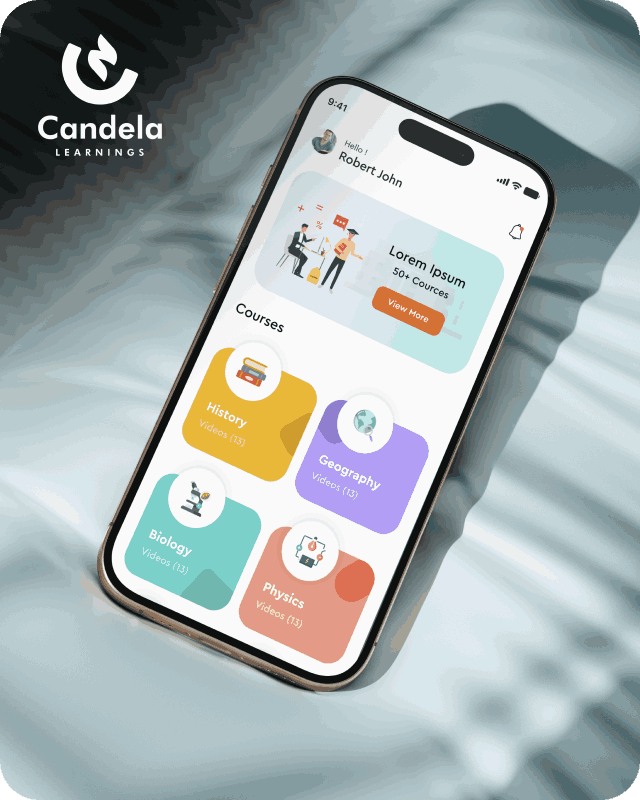
Candela Learnings is an engaging educational app offering interactive video courses in subjects like History, Geography, Biology, and Physics—all in one place.
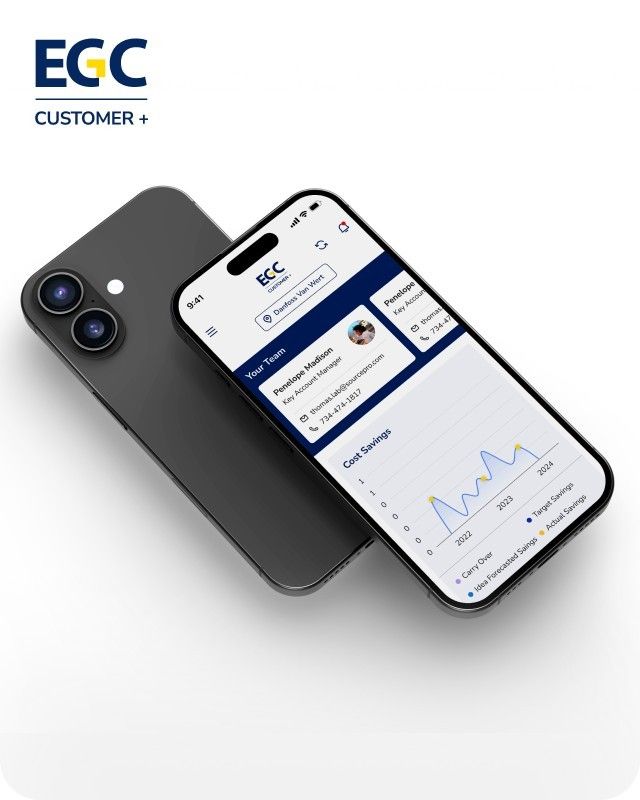
EGC Customer+ is a smart, user-friendly app designed to help you track cost savings, manage key contacts, and stay in control of your account performance—all in one place.
We are a team of highly dedicated mobile app developers that build cutting-edge mobile applications with the latest technologies.
View all WorksWe are a team of highly dedicated mobile app developers that build cutting-edge mobile applications with the latest technologies.
View more openings

Getting an iOS app rejected by Apple can delay your launch, but most Apple App Store Rejection cases are avoidable. Apple reviews every app against its App Store review guidelines, assessing technical performance, privacy, security, user experience, and policy compliance. Understanding the iOS App Approval Guidelines and the iOS app submission process helps developers avoid common issues. Even minor violations of Apple App Store policies can result in rejection and extend approval timelines.
Building compliance into development from the start and following iOS app development best practices improves the chances of first-time approval. This guide explains the most common iOS app rejection reasons, shares practical App Store approval tips, and highlights common App Store mistakes developers should avoid.
This is the most straightforward rejection category and also one of the most common. Apple expects apps to be stable, responsive, and functional across all supported devices and iOS versions. Apps that crash on launch, freeze during use, contain broken buttons, or fail to load content correctly will not pass review.
Testing on simulators is not sufficient. Real device testing across multiple iOS versions and screen sizes is necessary before any submission. Reviewers will find issues that simulators miss, and they will reject the app for them.
Apple takes user privacy seriously, and its guidelines reflect that. Apps that collect user data must have a clearly linked privacy policy. Apps requesting permissions, such as location, camera, contacts, or health data, must explain exactly why that access is needed and only request permissions that are genuinely necessary for the app’s core functionality.
App Privacy Nutrition Labels require developers to accurately declare what data the app collects and how it is used. Inconsistencies between declared data practices and actual app behaviour are a reliable path to rejection.
Apple expects apps to provide a polished, complete experience. Placeholder content, unfinished features, broken navigation flows, and interfaces that do not meet basic usability standards are all grounds for rejection under the App Store review guidelines.
Apps that feel like rough drafts, where buttons go nowhere, sections display lorem ipsum text, or core features are locked without explanation, will not pass. Every feature mentioned in the app description needs to be accessible and functional at the time of submission.
Apple’s App Store Review Guidelines cover a wide range of requirements beyond technical performance. Content restrictions, age rating accuracy, acceptable business model structures, and restrictions on certain categories of functionality all fall within scope.
Developers who have not read the guidelines in full before building are frequently surprised by what they contain. Sections covering legal requirements, intellectual property, and user-generated content each carry specific obligations. The guidelines are publicly available and regularly updated, and staying current with them is part of responsible iOS app development.
This is a rejection reason that catches developers off guard. Apple expects apps to offer a meaningful mobile experience that goes beyond simply wrapping a website in a native shell. Apps that do little more than display a web view of existing web content, without adding mobile-specific functionality, interaction design, or genuine utility, are rejected under guideline 4.2.
A mobile app should justify its existence on the platform. It should use device capabilities, offer features that make sense in a mobile context, and provide an experience that is genuinely different from opening a browser. If the app is essentially a repackaged website, it needs to be rebuilt with a native-first approach before it will pass review.
App metadata, including the title, description, screenshots, preview videos, and keywords, must accurately represent what the app does. Misleading descriptions, screenshots that show features not present in the submitted build, or keyword stuffing in the title field are all rejection triggers.
Screenshots in particular are reviewed carefully. They need to reflect the actual app experience and match the iOS version and device type specified. Using generic or stock imagery where app screenshots are expected will result in rejection.
Apps that sell digital goods or services must use Apple’s in-app purchase system. Routing payments for digital content through external payment processors, including links to external purchase flows, is a direct guideline violation and a consistent source of rejection.
Subscription implementations must clearly communicate to users what they are signing up for, how much it costs, and how to cancel. Free trials must be accurately described. Any attempt to obscure the terms of a subscription, even subtly, will be caught during review.
When your app is rejected, review Apple’s feedback carefully and fix the issue before resubmitting. If the reason is unclear, use the Resolution Center in App Store Connect to communicate with the review team. For any iOS app development company Bangalore, following Apple’s guidelines and resolving issues thoroughly helps reduce repeated rejections and improves approval chances.
iPhone app developers in Kerala and across India working with international clients will find that maintaining a documented compliance checklist for each project significantly reduces unnecessary communication with Apple’s review team.
Most Apple App Store Rejection cases result from insufficient testing, incomplete compliance, or inaccurate metadata. By following the iOS App Approval Guidelines, adopting iOS app development best practices, and avoiding common App Store mistakes, developers can significantly improve their chances of first-time approval.
Whether you’re launching a new app or preparing an update, Appzoc helps businesses build App Store-ready iOS applications that meet Apple’s review standards and accelerate successful app launches.
Reach out us at 917356496809 to streamline development and improve your chances of first-time approval.