Flutter
Make the most of this cutting-edge technology by developing apps quickly! Our Flutter solutions have amazing features that can be used to create sleek, high-performance apps that can scale seamlessly across platforms.



We aim to build applications that excel in all aspects. We consider customer satisfaction as the best award we could receive. In that journey, we have been recognized multiple times for the exceptional products we deliver.
Faster work process

Customer Review on Google
Successful projects accross the world
We are a team of highly dedicated mobile app developers that build cutting-edge mobile applications with the latest technologies.
About us
We cater to dedicated and tailored app development to help companies expand and achieve new heights. We deliver great features focusing on the latest technological advancement.

Our expertise in hybrid application development in Kerala, comes by integrating our agile methodology. We are the leading experts in hybrid application development.

Our rank booster packages reap maximum results for ranking mobile apps higher in the highly competitive niche. We get ahead with a proper ASO strategy crafted under our years of ASO experience.

Our landing page creation in a faster mode connects seamlessly with popular marketing platforms. We build efficient landing pages that crush your revenue goals.
We are a team of highly dedicated mobile app developers that build cutting-edge mobile applications with the latest technologies.
View all Services
Make the most of this cutting-edge technology by developing apps quickly! Our Flutter solutions have amazing features that can be used to create sleek, high-performance apps that can scale seamlessly across platforms.

Explore the endless possibilities of mobile app development with our Figma services. Design compelling apps and refine your tech skills, all while leveraging cutting-edge tools to make a meaningful impact in the industry. Appzoc ensures a seamless user experience.

From startups to enterprises, we specialize in creating Android app development services that drive growth. Our team at Appzoc focuses on developing apps that provide an outstanding experience across all Android devices and wearables.
Node.js, for its high scalability, simplifies the mobile application process and is widely used for real-time applications with many open-source libraries and frameworks. The server-side and client-side switches are easy with Node.js. Node.js developers can constantly publish new code making the app possible as and when needed.
We are a team of highly dedicated mobile app developers that build cutting-edge mobile applications with the latest technologies.
View all Technologies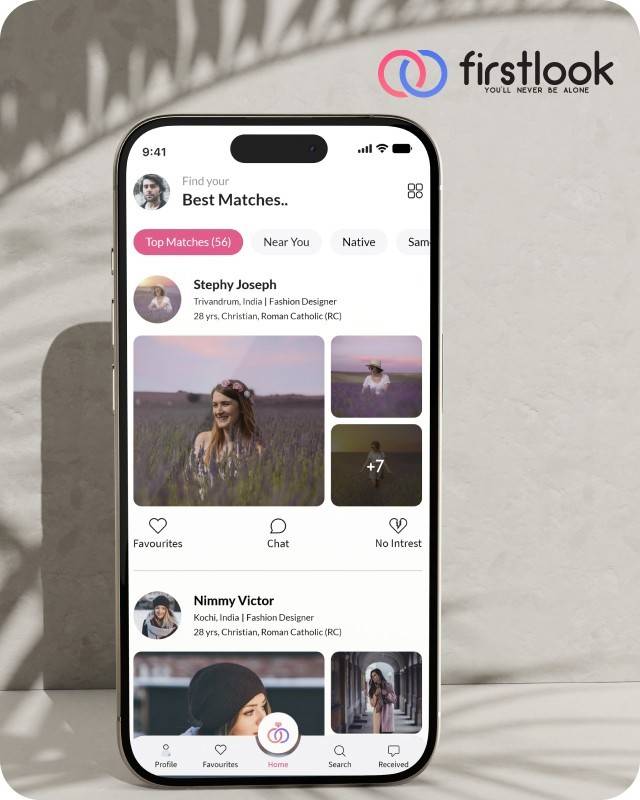
FirstLook Matrimony is a modern matchmaking app that helps you find your perfect life partner with personalized matches, easy chat options, and a secure platform built on trust.

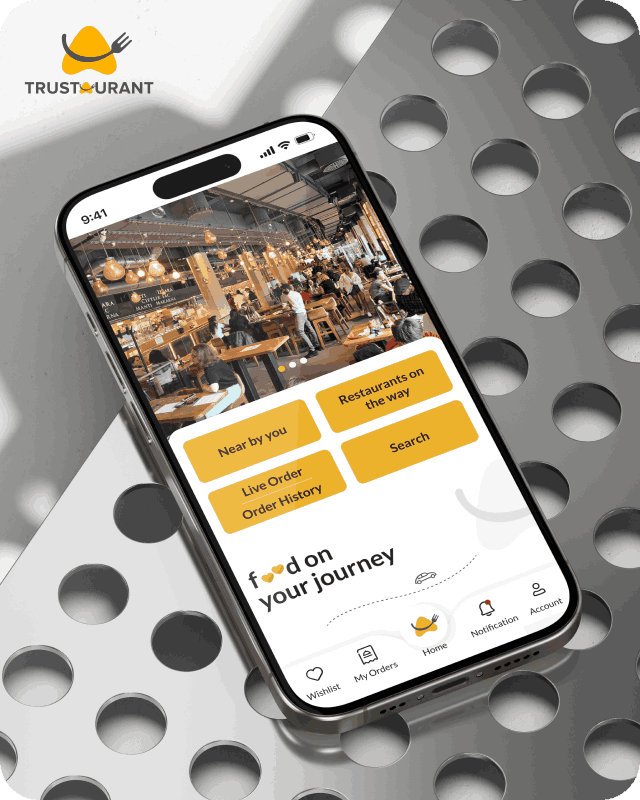
Trustaurant is a travel-friendly food app that helps you discover and order from trusted restaurants nearby or along your journey, all in real-time.
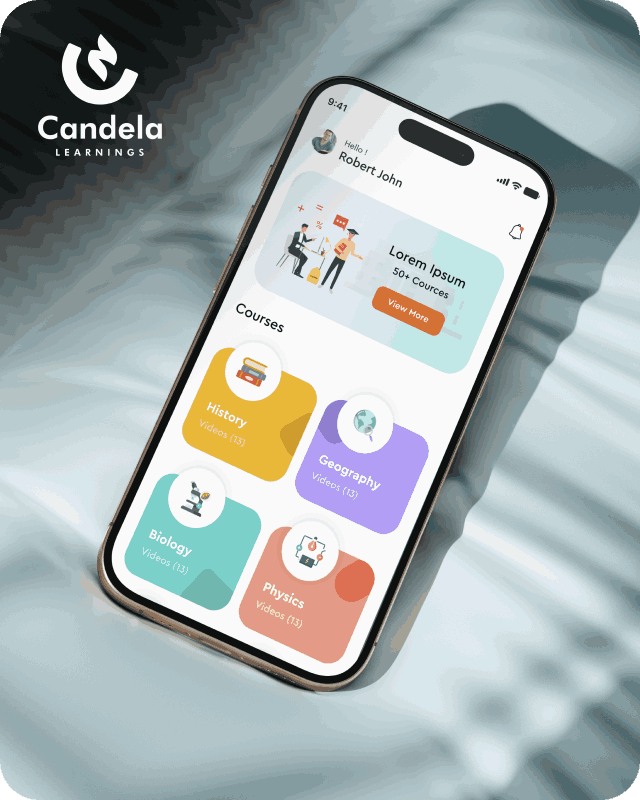
Candela Learnings is an engaging educational app offering interactive video courses in subjects like History, Geography, Biology, and Physics—all in one place.
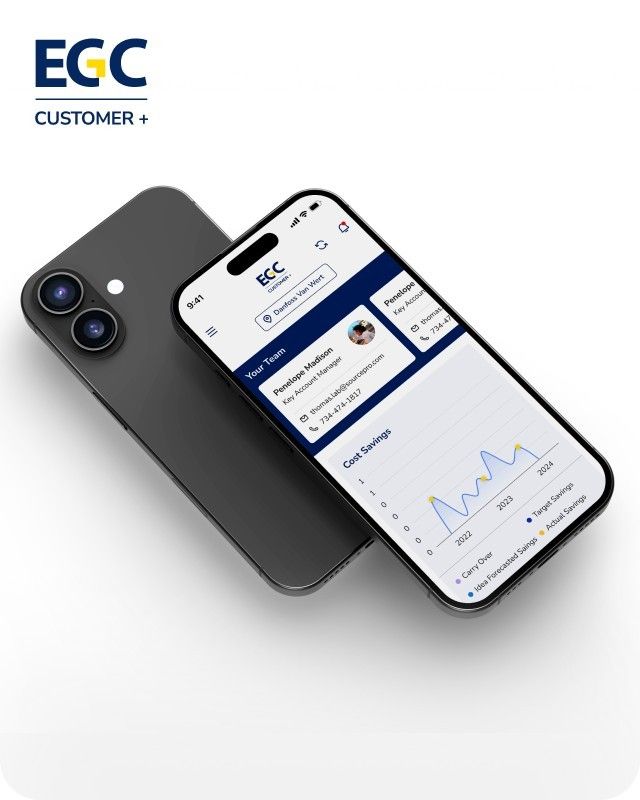
EGC Customer+ is a smart, user-friendly app designed to help you track cost savings, manage key contacts, and stay in control of your account performance—all in one place.
We are a team of highly dedicated mobile app developers that build cutting-edge mobile applications with the latest technologies.
View all WorksWe are a team of highly dedicated mobile app developers that build cutting-edge mobile applications with the latest technologies.
View more openings

Apple released iOS 27 on 14 September 2026. Apps built months earlier may now need testing and updates to work properly with the new operating system. Without a maintenance budget, even a small issue can become an unexpected expense.
Apple releases a new version of iOS every year. Businesses often budget for app development but overlook the cost of maintaining the app after launch.
This guide explains how to estimate iOS app maintenance costs. It covers Apple’s release schedule, developer time, third-party software, hosting, and unexpected fixes. You can use these points to prepare an annual budget with your development team.
There is no fixed price for every app. The cost depends on the app’s size, complexity, technology, and usage.
Common expenses include testing against new iOS versions, updating development tools, maintaining third-party software, paying for servers, and fixing bugs. Apps with complex features or large user bases may need more ongoing support.
To estimate your costs, ask your developer to list the maintenance tasks, the hours required, and the hourly rate. Add recurring fees and a reserve for unexpected work.
IOS app maintenance includes the work needed to keep an existing app secure, stable, and compatible with supported devices and software.
It can include:
New features are usually estimated separately because they involve additional development work.
Businesses can see the results of app development when a new product launches. Maintenance is less visible because much of the work happens behind the scenes.
However, Apple’s requirements and software updates continue to change. Developers need to keep apps compatible and make sure they can submit updates when necessary.
Here are two important dates businesses should know:
Apple also requires developers to provide approved reasons for using certain APIs. These requirements can apply to APIs used by third-party SDKs as well.
An app may continue running on existing devices but still need development work before its next update can be submitted. This is one reason to include maintenance in your annual budget.
Apple’s beta releases give developers an opportunity to test apps against upcoming iOS versions. Testing early can help identify problems with app screens, permissions, notifications, and other features.
Plan testing time between the first developer beta and the public release, usually during the summer months. Your developer can estimate the hours needed based on the app’s features and supported devices.
You can also refer to our iOS 27 guide for features and changes worth reviewing during testing.
Apple periodically updates the tools and SDKs required to submit apps to the App Store. Your developer may need to update the project, resolve compatibility issues, and test the app before submitting a new version.
For example, Apple’s April 2026 requirement introduced a minimum of Xcode 26 and the iOS 26 SDK for App Store Connect uploads.
Set aside developer hours for these updates each year. The amount of work will depend on how old the project is and how easily it can be updated.
Many apps use third-party software for payments, analytics, maps, notifications, and other features.
These libraries need updates to remain compatible with current software and security requirements. If a provider stops supporting a library, your developer may need to replace it.
Ask your developer to list the main dependencies, check their support status, and estimate the cost of updating or replacing them.
Businesses distributing apps through the App Store need an Apple Developer Program membership. Apple lists the standard membership fee as US$99 per year, although the amount charged may vary by region.
The business should ideally own and control its developer account. Enrolling as an organisation can also help keep app ownership separate from an individual developer or agency.
Include the annual membership fee in your budget and confirm the current price with Apple.
Many iOS apps rely on servers, databases, cloud storage, payment services, or push notification services.
These costs can recur every month. They may also increase as the number of users, transactions, and stored files grows.
Ask your developer to separate hosting and third-party service fees from development charges. This will help you understand which costs are fixed and which may increase with usage.
App monitoring helps developers identify crashes, slow screens, and other problems. However, reports still need to be reviewed and acted on.
Set aside monthly hours for checking crash reports, investigating issues, and releasing fixes when required.
The number of hours will depend on the app’s stability, user activity, and support requirements.
Some issues cannot be predicted in advance. An SDK may stop working, a server may need an urgent update, or a software change may affect an existing feature.
Keep a reserve for these situations. Agree on the amount with your developer and document when the reserve can be used.
You can estimate the annual cost using four steps.
Your calculation will look like this:
Annual maintenance budget = Developer charges + Recurring fees + Reserve
For example, if your developer estimates 100 hours of work at ₹1,500 per hour, the development cost would be ₹1,50,000. You would then add your actual annual hosting and service fees, membership fee, and contingency reserve.
This is only an example, not a standard maintenance price. Your actual budget will depend on your app and support needs.
Compare this estimate with any maintenance package or retainer offered by your developer. Check what is included, what is billed separately, and whether unused hours carry forward.
A few common problems can make maintenance more expensive than expected.
Regular maintenance can help businesses identify these issues earlier and plan the cost of fixing them.
Before choosing a developer, ask these three questions:
Ask for clear answers in writing. The contract should explain the work included in the maintenance plan, the response time for urgent issues, and how additional work will be charged.
Businesses searching for the best mobile app development company should ask the same questions of every shortlisted provider. Compare the scope of support and the estimated costs, rather than choosing based on the initial development quote alone.
Working with the same team for development and maintenance can also help. The team already understands the app’s code and design decisions, which may reduce the time needed to investigate issues. If you change providers, allow time for the new team to review the code and development setup.
Businesses looking for iOS app development in Kerala can consider Appzoc, a Kochi-based team offering native iOS app development using Swift. When discussing a project, ask about its post-launch support, bug fixes, performance monitoring, and update plans.
iOS app maintenance is an ongoing cost, not a one-time expense. Annual software updates, bug fixes, third-party dependencies, and hosting can all affect your budget.
Estimate these costs before launch and review them each year. A clear maintenance plan helps your business prepare for updates, address issues sooner, and manage app expenses more effectively.
Request a free audit from Appzoc to understand your app’s maintenance needs. Email Info@appzoc.com with your app’s name, the iOS versions you support, and details of your hosting setup. Ask for an estimate that separates developer hours, recurring fees, and the reserve for unexpected work.