
Flutter
Make the most of this cutting-edge technology by developing apps quickly! Our Flutter solutions have amazing features that can be used to create sleek, high-performance apps that can scale seamlessly across platforms.



We aim to build applications that excel in all aspects. We consider customer satisfaction as the best award we could receive. In that journey, we have been recognized multiple times for the exceptional products we deliver.
Faster work process

Customer Review on Google
Successful projects accross the world
We are a team of highly dedicated mobile app developers that build cutting-edge mobile applications with the latest technologies.
About us
We cater to dedicated and tailored app development to help companies expand and achieve new heights. We deliver great features focusing on the latest technological advancement.

Our expertise in hybrid application development in Kerala, comes by integrating our agile methodology. We are the leading experts in hybrid application development.

Our rank booster packages reap maximum results for ranking mobile apps higher in the highly competitive niche. We get ahead with a proper ASO strategy crafted under our years of ASO experience.

Our landing page creation in a faster mode connects seamlessly with popular marketing platforms. We build efficient landing pages that crush your revenue goals.
We are a team of highly dedicated mobile app developers that build cutting-edge mobile applications with the latest technologies.
View all Services
Make the most of this cutting-edge technology by developing apps quickly! Our Flutter solutions have amazing features that can be used to create sleek, high-performance apps that can scale seamlessly across platforms.

Explore the endless possibilities of mobile app development with our Figma services. Design compelling apps and refine your tech skills, all while leveraging cutting-edge tools to make a meaningful impact in the industry. Appzoc ensures a seamless user experience.

From startups to enterprises, we specialize in creating Android app development services that drive growth. Our team at Appzoc focuses on developing apps that provide an outstanding experience across all Android devices and wearables.

Node.js, for its high scalability, simplifies the mobile application process and is widely used for real-time applications with many open-source libraries and frameworks. The server-side and client-side switches are easy with Node.js. Node.js developers can constantly publish new code making the app possible as and when needed.
We are a team of highly dedicated mobile app developers that build cutting-edge mobile applications with the latest technologies.
View all Technologies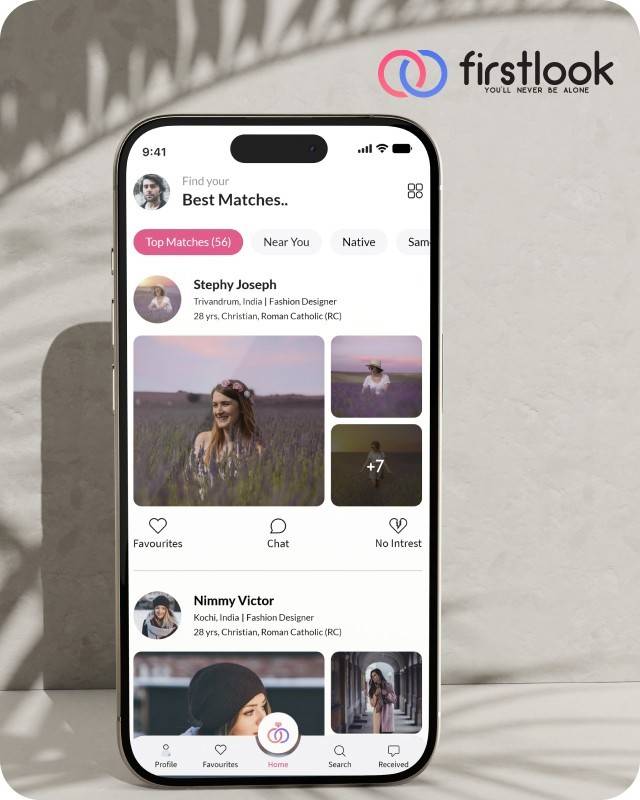
FirstLook Matrimony is a modern matchmaking app that helps you find your perfect life partner with personalized matches, easy chat options, and a secure platform built on trust.

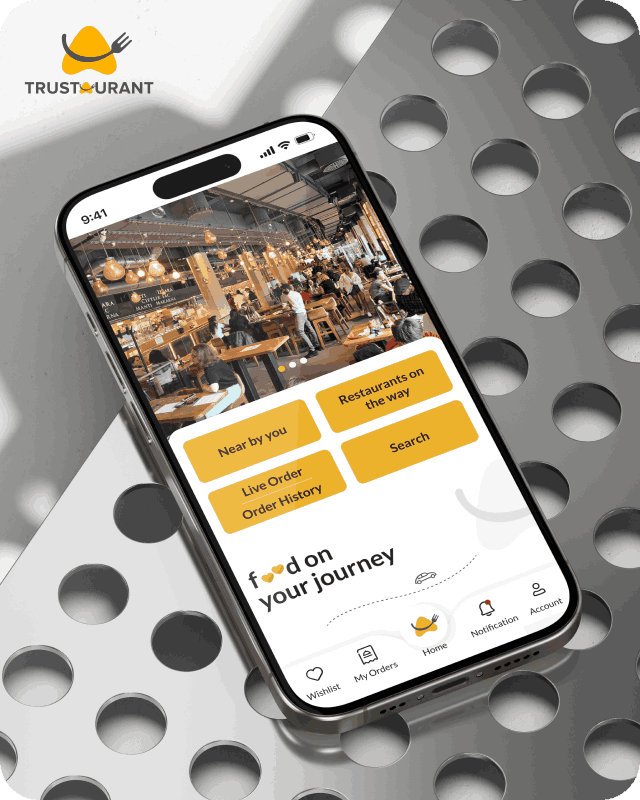
Trustaurant is a travel-friendly food app that helps you discover and order from trusted restaurants nearby or along your journey, all in real-time.
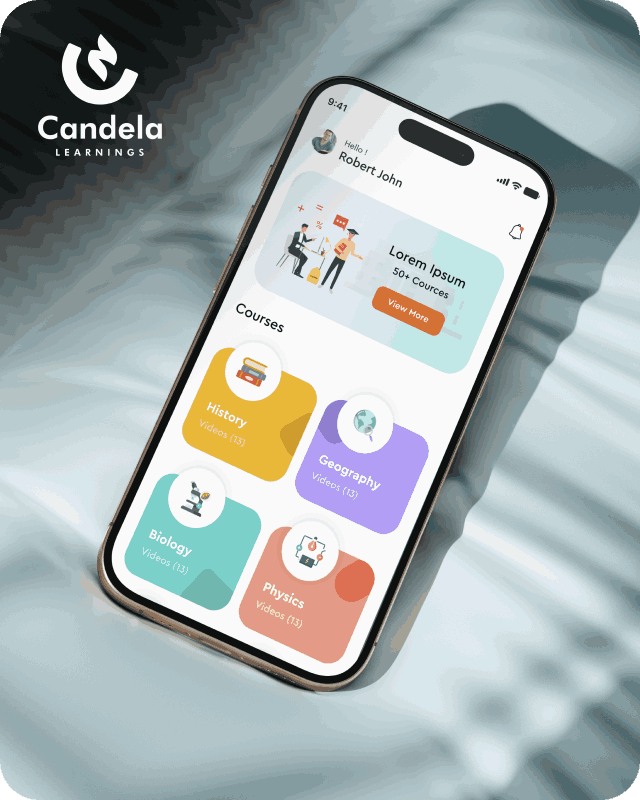
Candela Learnings is an engaging educational app offering interactive video courses in subjects like History, Geography, Biology, and Physics—all in one place.
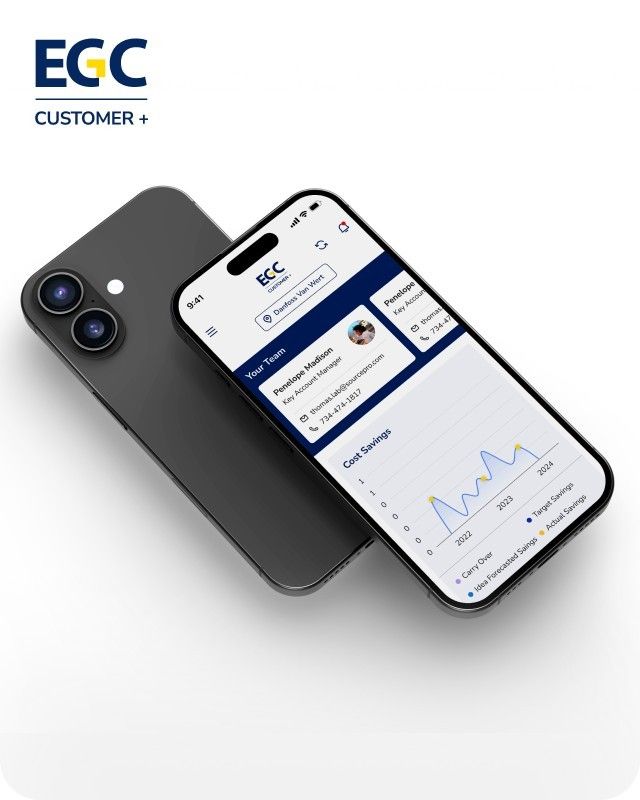
EGC Customer+ is a smart, user-friendly app designed to help you track cost savings, manage key contacts, and stay in control of your account performance—all in one place.
We are a team of highly dedicated mobile app developers that build cutting-edge mobile applications with the latest technologies.
View all WorksWe are a team of highly dedicated mobile app developers that build cutting-edge mobile applications with the latest technologies.
View more openings

Your developer suggests moving your app to Jetpack Compose. Your existing app works, receives updates, and earns money. So, is switching to a new UI toolkit worth the cost?
The answer depends on your app, your team, and your plans for future development.
Jetpack Compose is Google’s recommended toolkit for building new Android user interfaces. However, that does not mean every existing XML-based app needs a complete rewrite.
For new apps, Compose is a strong choice. If your existing XML app works well, you can keep it running and build new screens with Compose. You can then migrate older screens when you need to update them.
This guide explains the differences between Jetpack Compose and XML, the costs of migration, and how to choose the right approach for your business.
Jetpack Compose for Android is a modern toolkit for building native user interfaces with Kotlin. Developers describe how a screen should look based on the current app state. When that state changes, Compose updates the interface as needed.
Traditional XML layouts in Android use XML files to define the screen’s layout. Developers then use Kotlin or Java code to find and update views as the app’s data changes.
Both approaches can build functional Android apps. However, Compose reduces the need to maintain separate layout files and UI update code for many common tasks.
Google recommends Compose for new UI development while continuing to support existing View-based workflows. Businesses can choose an approach based on their current app and development needs.
Jetpack Compose offers several benefits for Android development.
Performance is another important consideration. Google’s benchmarks show that Compose 1.9 and later can match Views in scrolling smoothness in the tested scenarios. Actual results still depend on how the app is built and how its interface is implemented.
Although Compose can simplify UI development, adopting it requires planning and developer time.
1. Learning Kotlin and state management
Developers experienced with XML and Java may need time to learn Kotlin and Compose’s state-based approach. This can affect development speed during the initial stages.
2. Testing performance correctly
Debug builds can perform differently from release builds. Google recommends testing performance in release mode with R8 enabled. Baseline Profiles can also improve app startup and interaction performance.
Before comparing Compose with XML, test both implementations under similar conditions on real devices.
3. Maintaining two UI systems
During a gradual migration, the app may contain both XML layouts and Compose screens. Developers need to understand how the two systems work together, which can add complexity until more of the UI has been migrated.
4. Updating tests
Migrated screens need appropriate UI and integration tests. Your team may need to update existing tests or write new ones to check navigation, screen states, accessibility, and user interactions.
These costs do not mean Compose is a poor choice. They mean the migration should have a clear purpose and a realistic budget.
The right choice depends on your app’s current condition and future plans.
For a new Android app: Choose Compose for most new projects. It is Google’s recommended toolkit and can reduce the amount of UI code your team needs to maintain.
For an existing XML app that works well: Keep the current screens if they meet your business needs. Use Compose for new features and consider migrating older screens when you update them.
For a team that mainly uses Java: Assess the team’s Kotlin experience before starting. Allow time for training and a small pilot project.
For apps supporting multiple device types: Consider Compose for its adaptive UI capabilities. The right implementation will still depend on the devices and layouts your app needs to support.
Before deciding, ask your developer these four questions:
If your app needs frequent UI changes and your team is comfortable with Kotlin, adopting Compose may make sense. If the existing screens are stable and the team mainly works with Java, a gradual transition may be more practical.
There is no need to migrate every screen simply because a newer toolkit is available.
Rewriting an entire app can take considerable time and may delay other planned features. Google recommends an incremental migration, allowing Compose and existing Views to work together in the same codebase.
You can approach the migration in four steps.
Start with a low-risk screen, such as settings or a profile page. Test the new implementation before moving to more important screens, such as checkout or payments.
This approach allows your team to release improvements in stages instead of waiting for a complete rewrite.
Native mobile app development involves more than choosing a UI toolkit. Architecture, backend services, testing, security, and the release process also affect the cost and long-term maintenance of an app.
Review your development plans before deciding. If you have several new screens planned for the next quarter, building them in Compose may be a sensible starting point. If the next release only needs a small bug fix, changing the UI toolkit may not be necessary.
In either case, test the app on real devices and measure performance using release builds before making a final decision.
Appzoc is an Android app development company in Kerala, based in Kochi. The team provides native Android app development, UI/UX design, App Landing Page Design, and maintenance. If you are considering Compose for an existing app, discuss your current screens and future requirements with the team before planning a migration.
Jetpack Compose is a strong choice for new Android apps, while XML remains a practical option for existing applications that work well.
You do not need to rewrite your entire app to start using Compose. Build new screens with it, migrate existing screens when there is a clear benefit, and test each change before release.
If you are unsure where to start, share your screen list and upcoming features with Appzoc. The team can help you assess which screens may benefit from Compose and which can remain as they are. Book a consultation to discuss your Android app development plans.